How a Smart CRM Redefined Physician Engagement in Radiology
A specialized CRM solution for radiology imaging centers when generic tools were failing to meet their needs.


Context: The Problem
In radiology, relationships with referring physicians directly impact business growth. Marketing teams needed a tool designed specifically for their unique workflow—not a generic CRM that missed important industry details.
Business reality: Referring physicians are the lifeblood of imaging centers, directly impacting revenue
Existing solutions fell short: Clients were struggling with Salesforce—a powerful but generalized CRM with a steep learning curve
Industry-specific needs: Standard CRMs lacked features for tracking physician orders, referral patterns, and radiology-specific metrics
My Approach
I started with initial requirements from our CEO and built my understanding from there:
Researched existing CRM solutions to understand core functionality
Identified key data points needed for relationship management in radiology
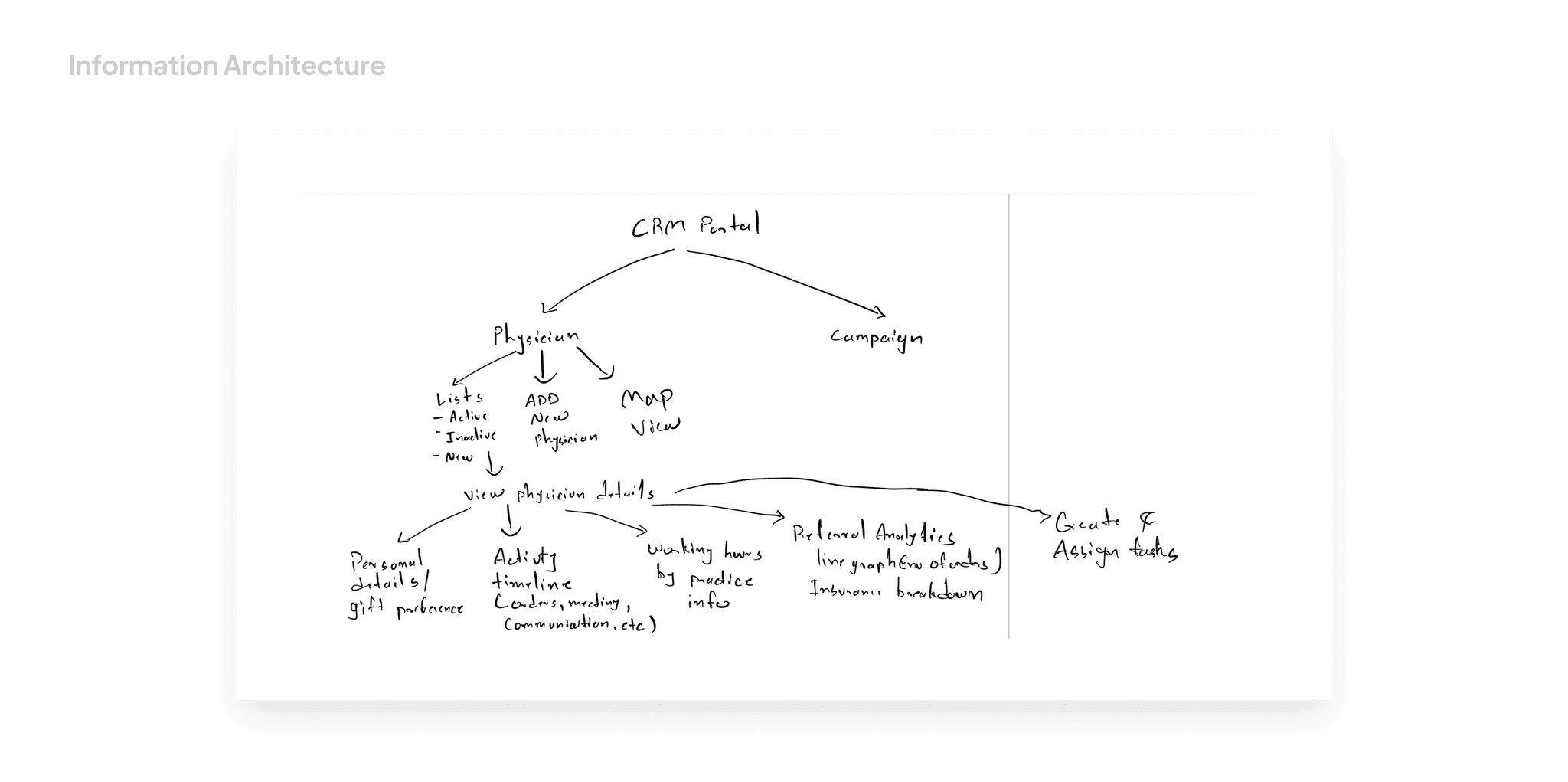
Created a structured information hierarchy for organizing complex relationships
Balanced business requirements with the needs of marketing representatives
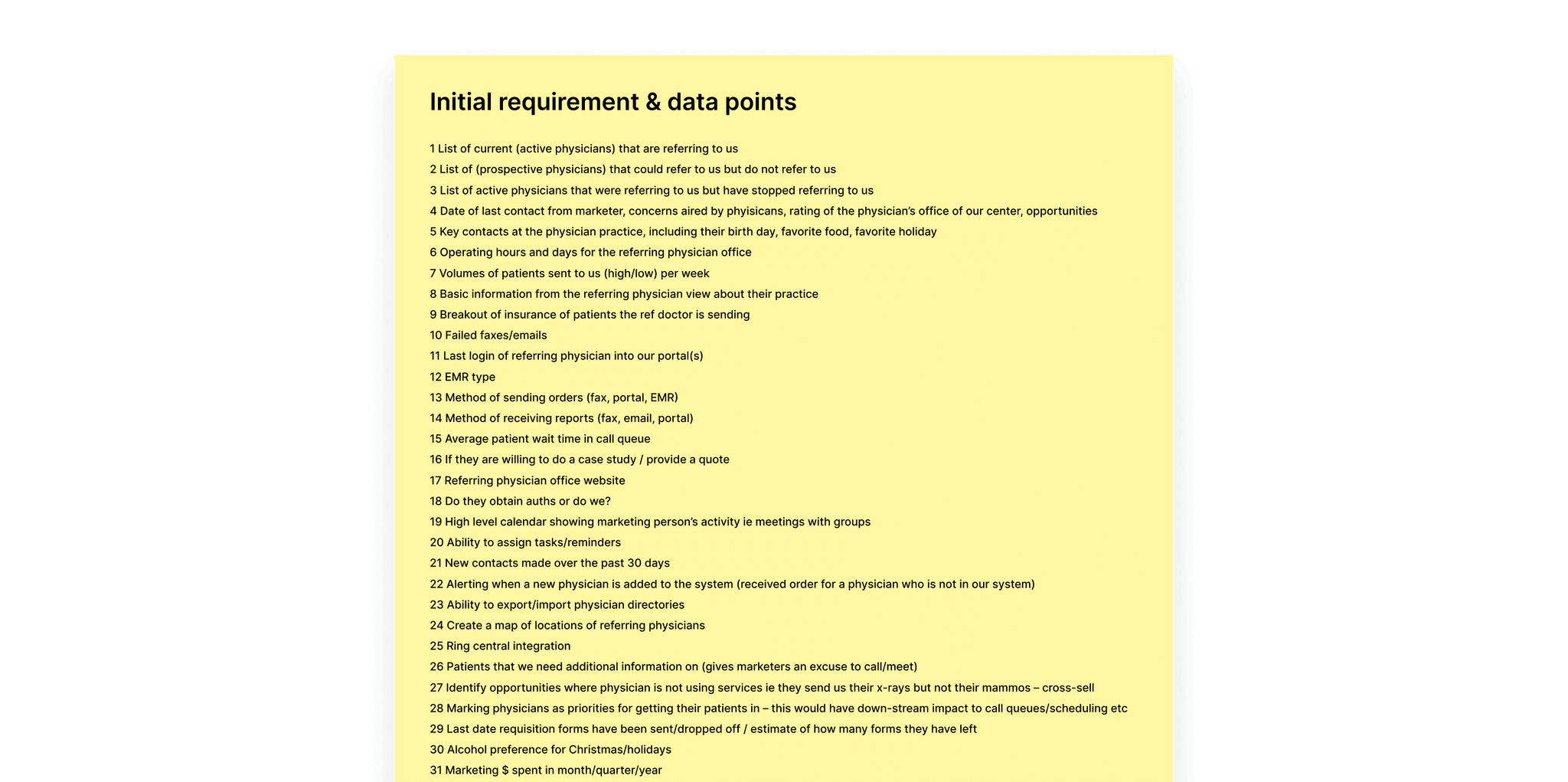
I organized the relationships between imaging centers, practices, physicians, and staff into a clear structure by:
Mapping data to appropriate interface components (KPIs, timelines, charts)
Creating logical groupings of information based on user workflows
Identifying critical metrics for business decisions
Prioritizing essential features for the initial version
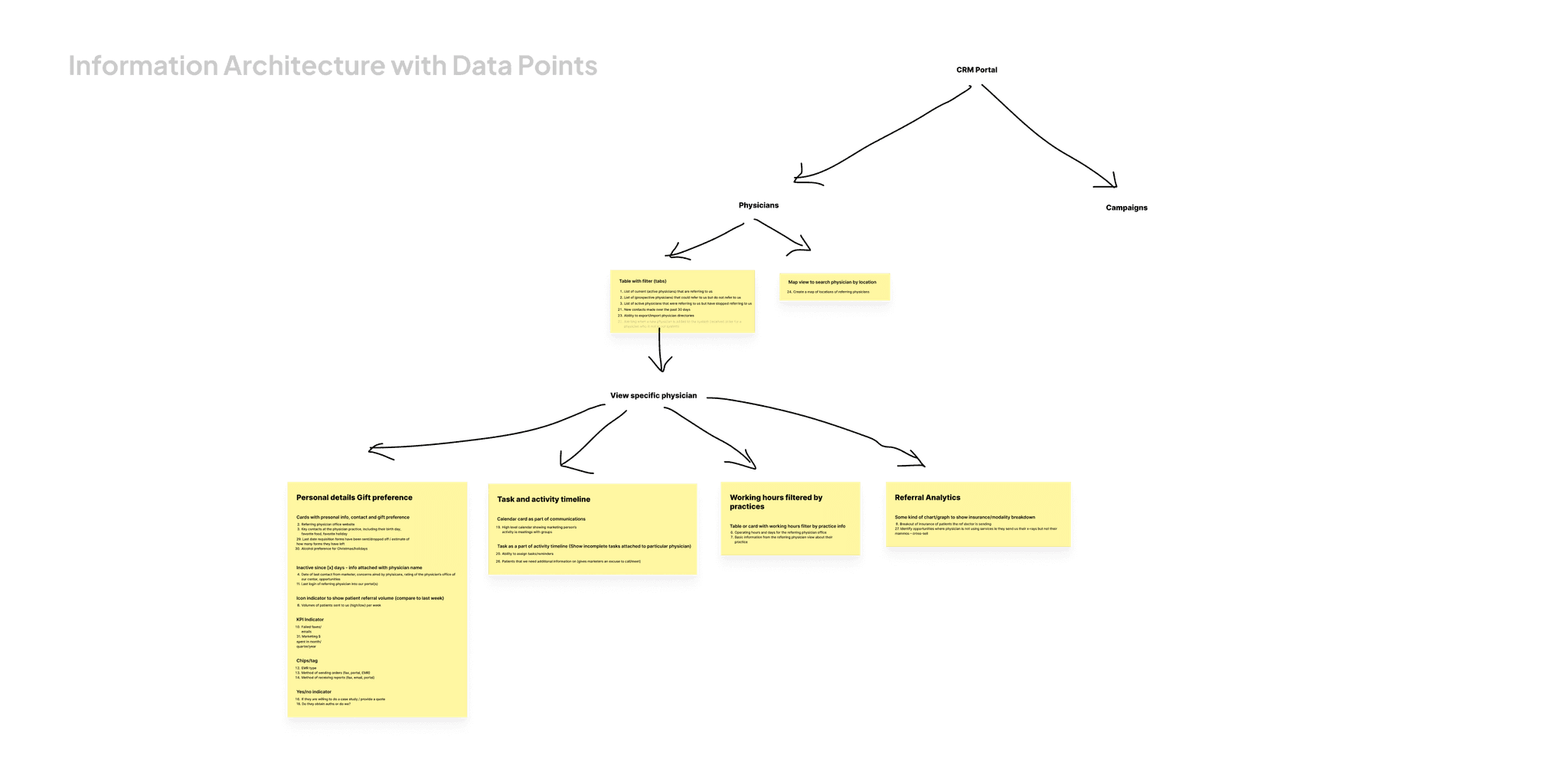
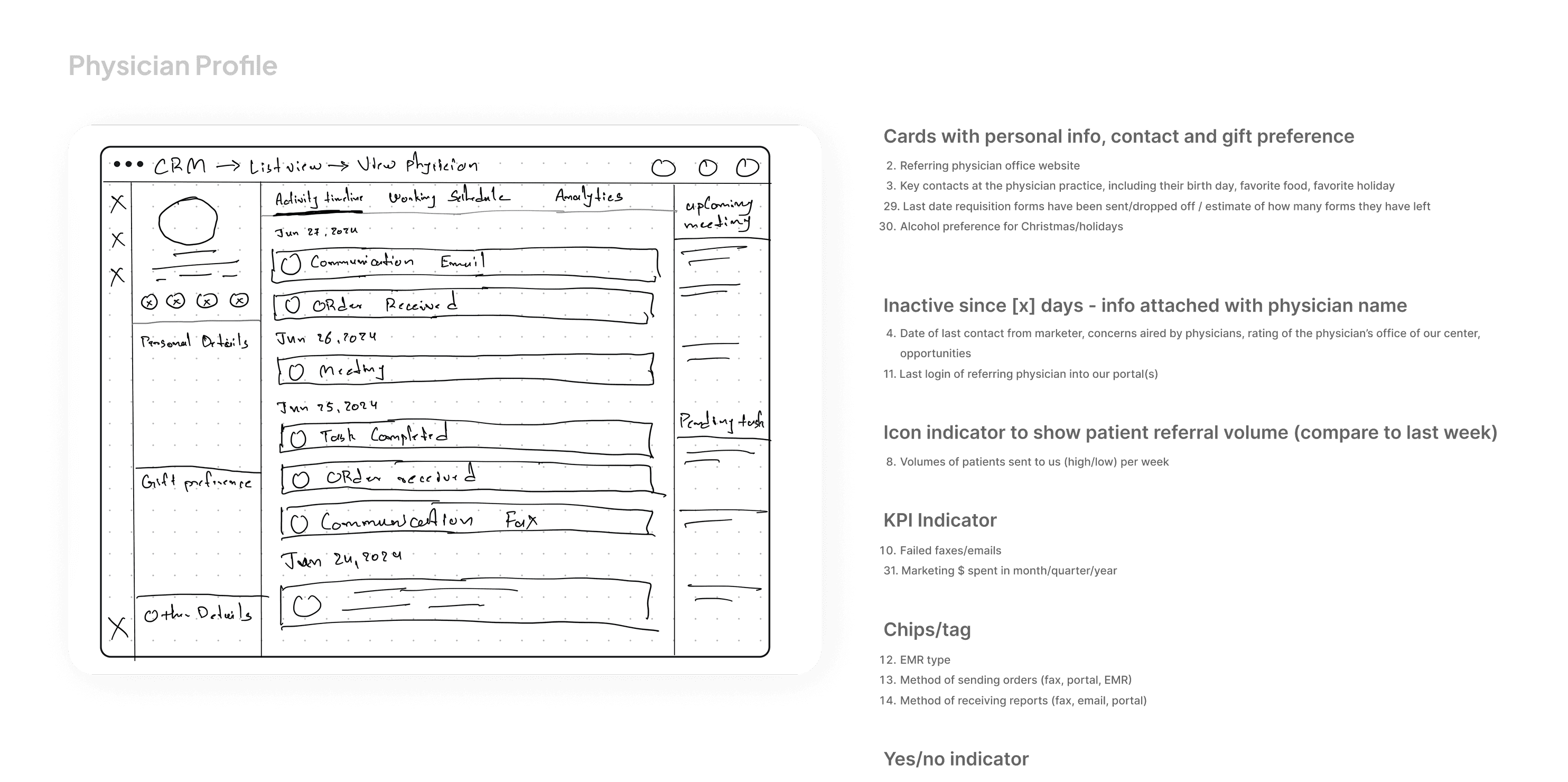
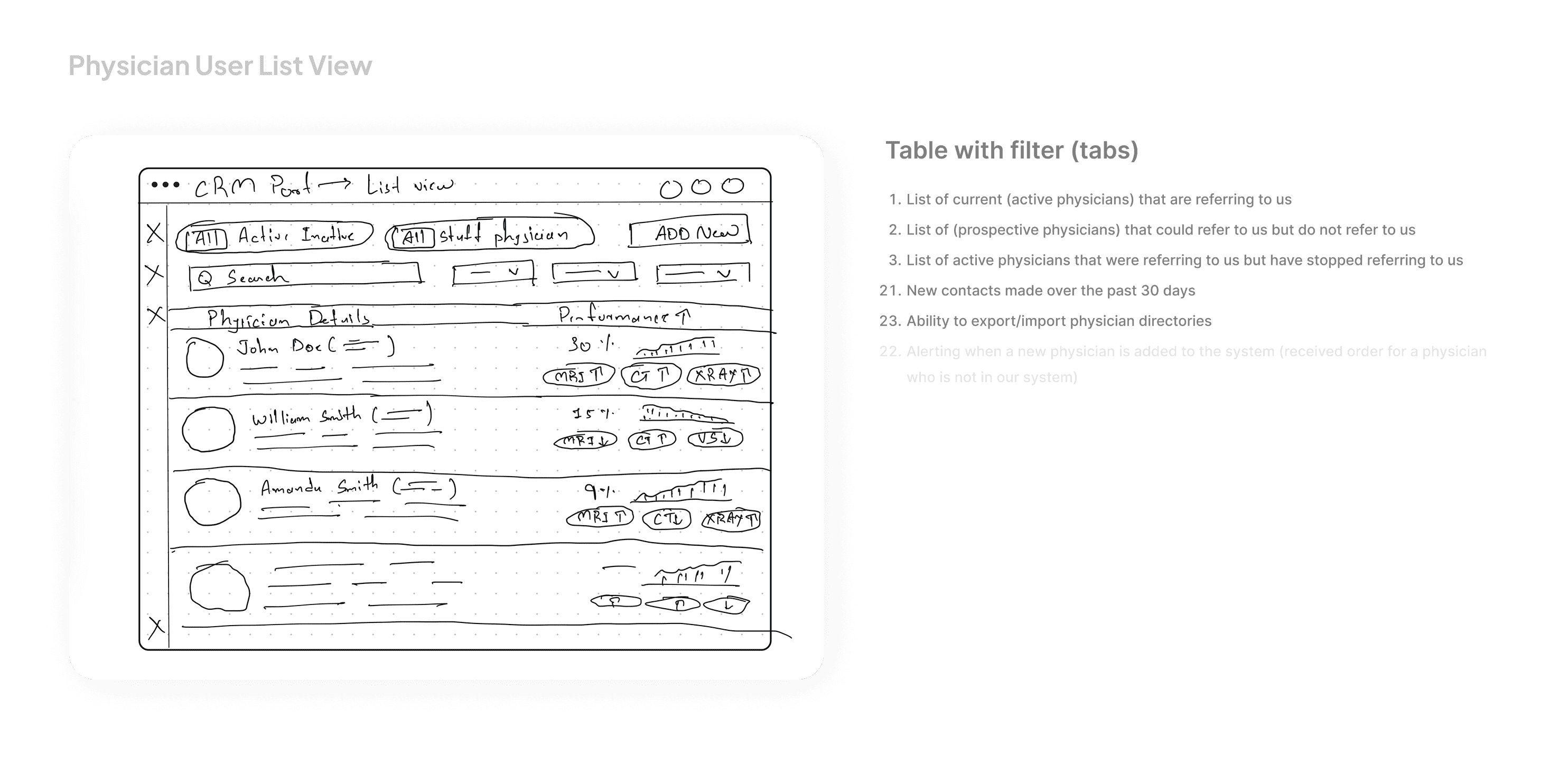
With tight deadlines, I quickly developed wireframes to validate my approach:
Created low-fidelity prototypes of key screens
Focused on information hierarchy and user flow
Gathered early feedback from stakeholders
Made improvements based on initial feedback

Key Design Solutions
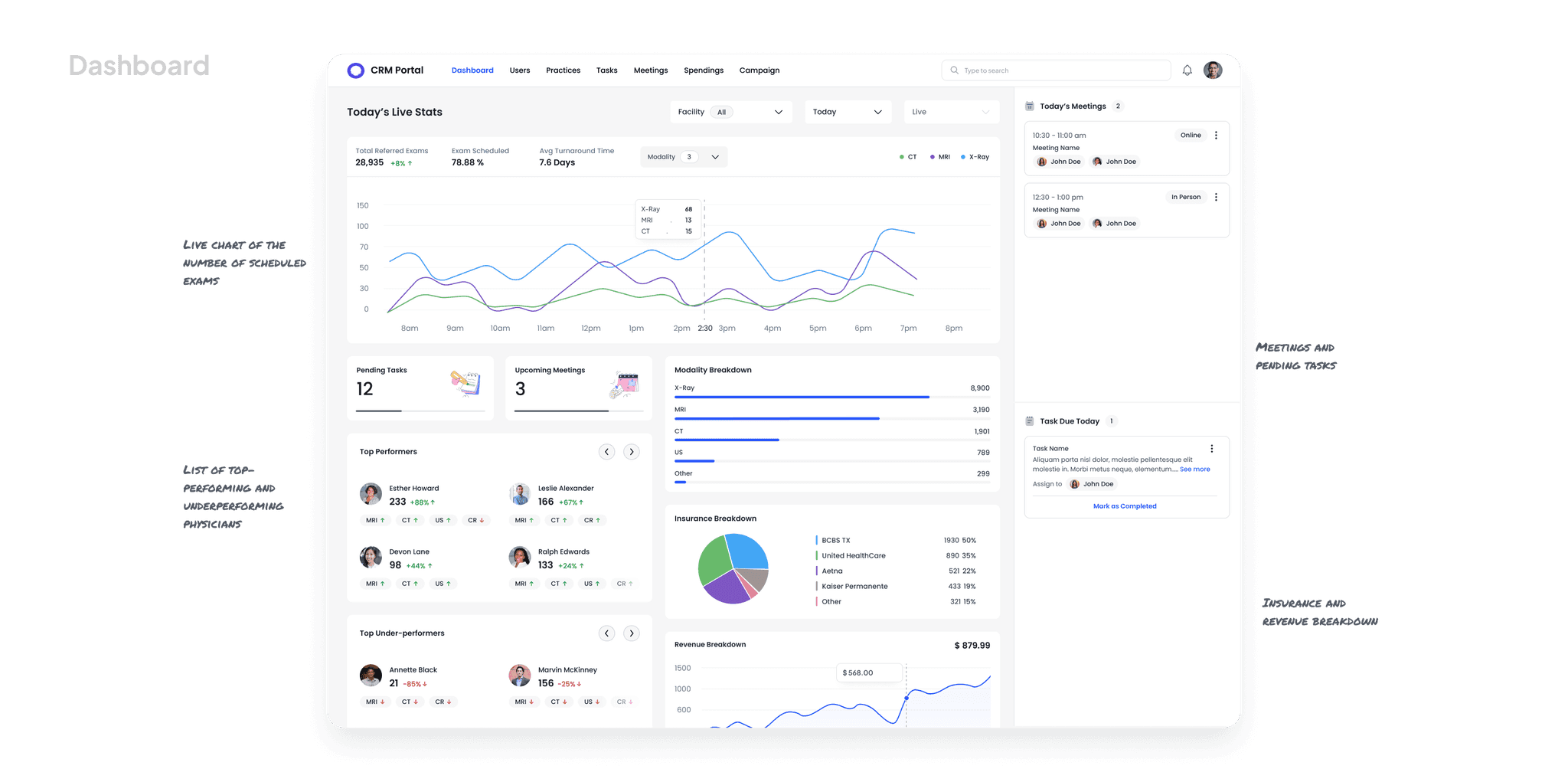
I designed a dashboard that provides marketing reps with quick insights:
Live exam order charts with key metrics
Pending tasks and upcoming meetings
Revenue, exam, and insurance breakdowns
Clear visual presentation of complex data
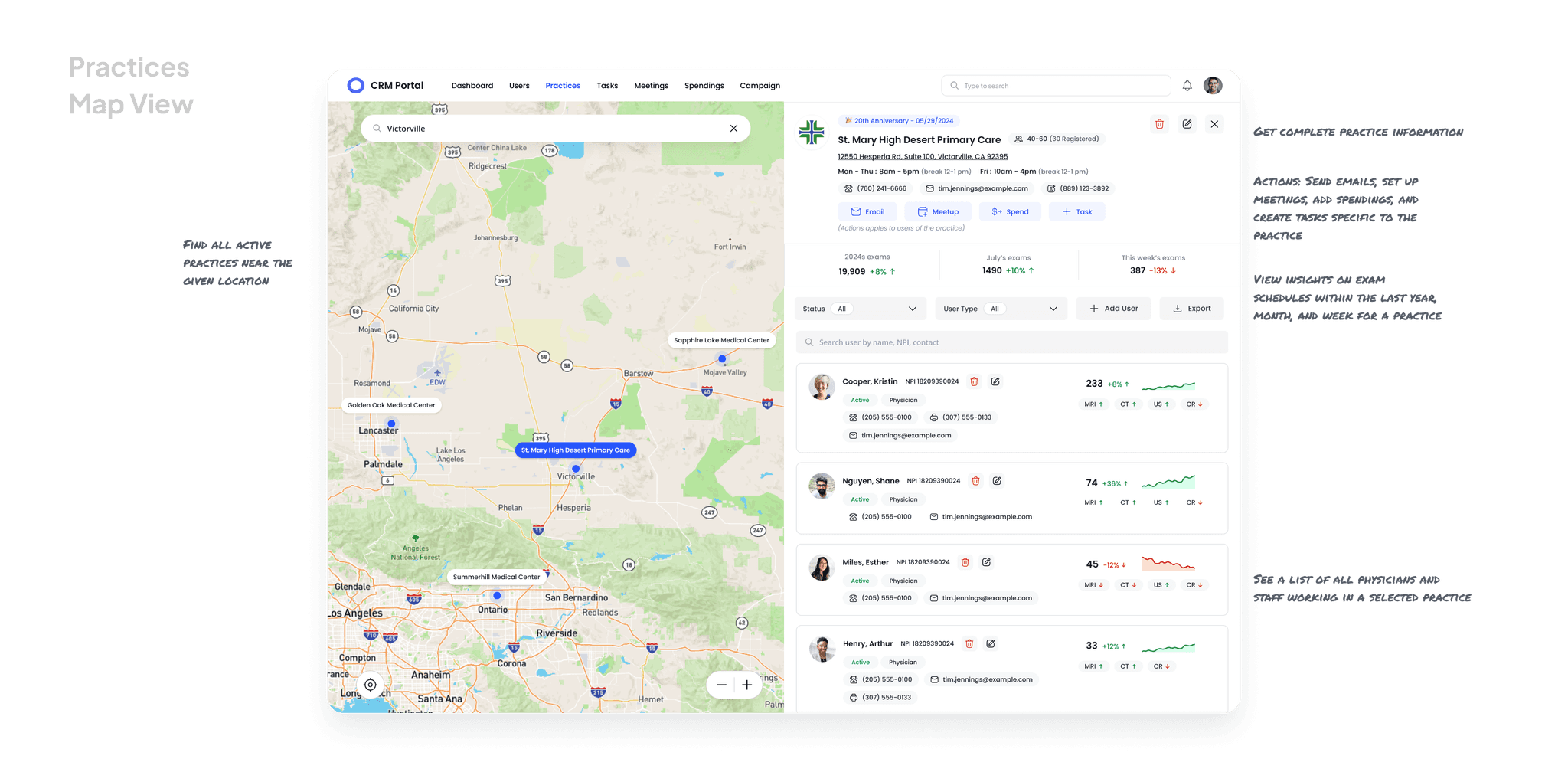
For field representatives visiting practices, I created a map interface that:
Shows affiliated practices in geographic context
Allows quick filtering by location and physician
Provides practice details in an accessible overlay
Supports planning for in-person visits
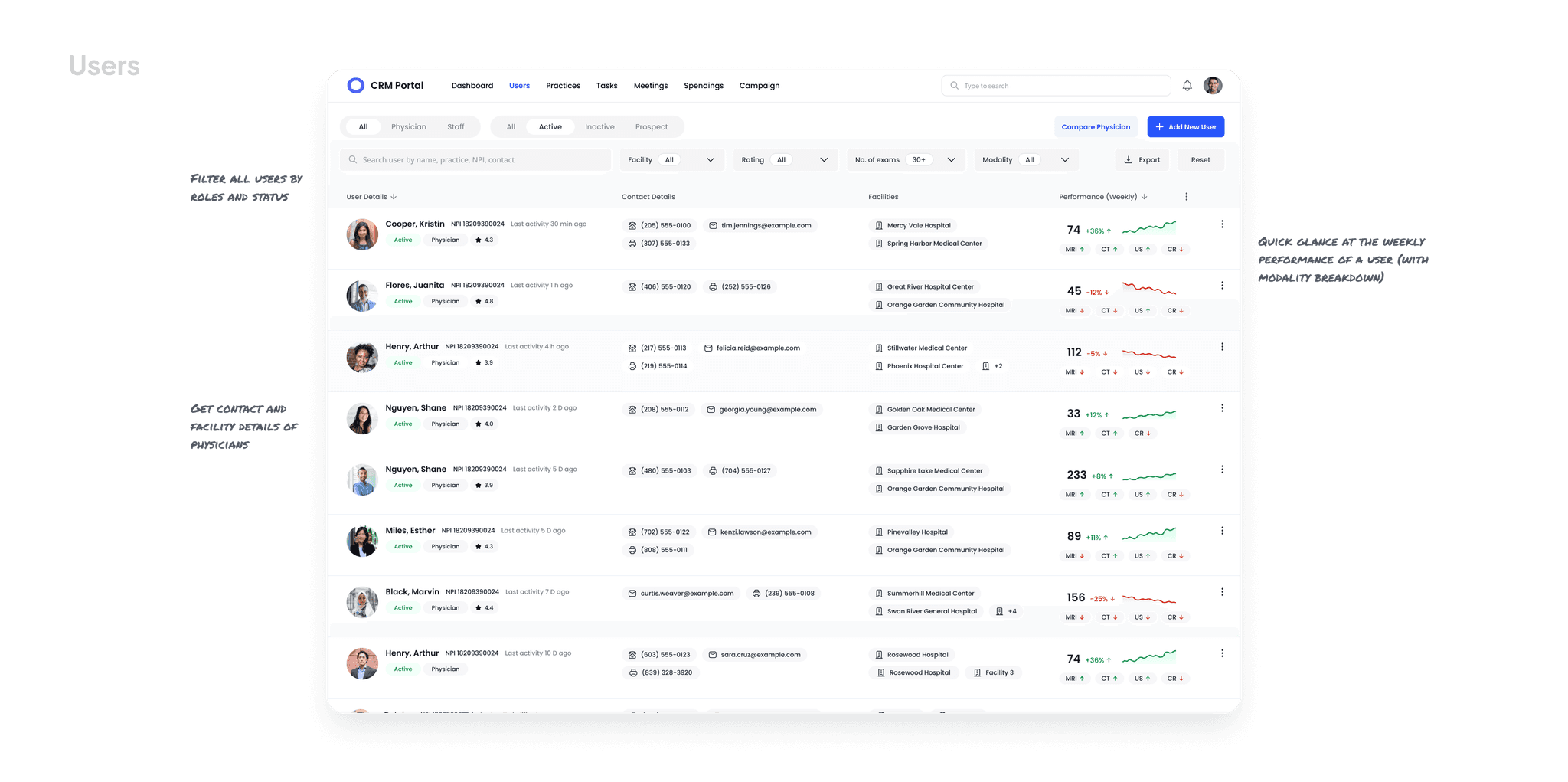
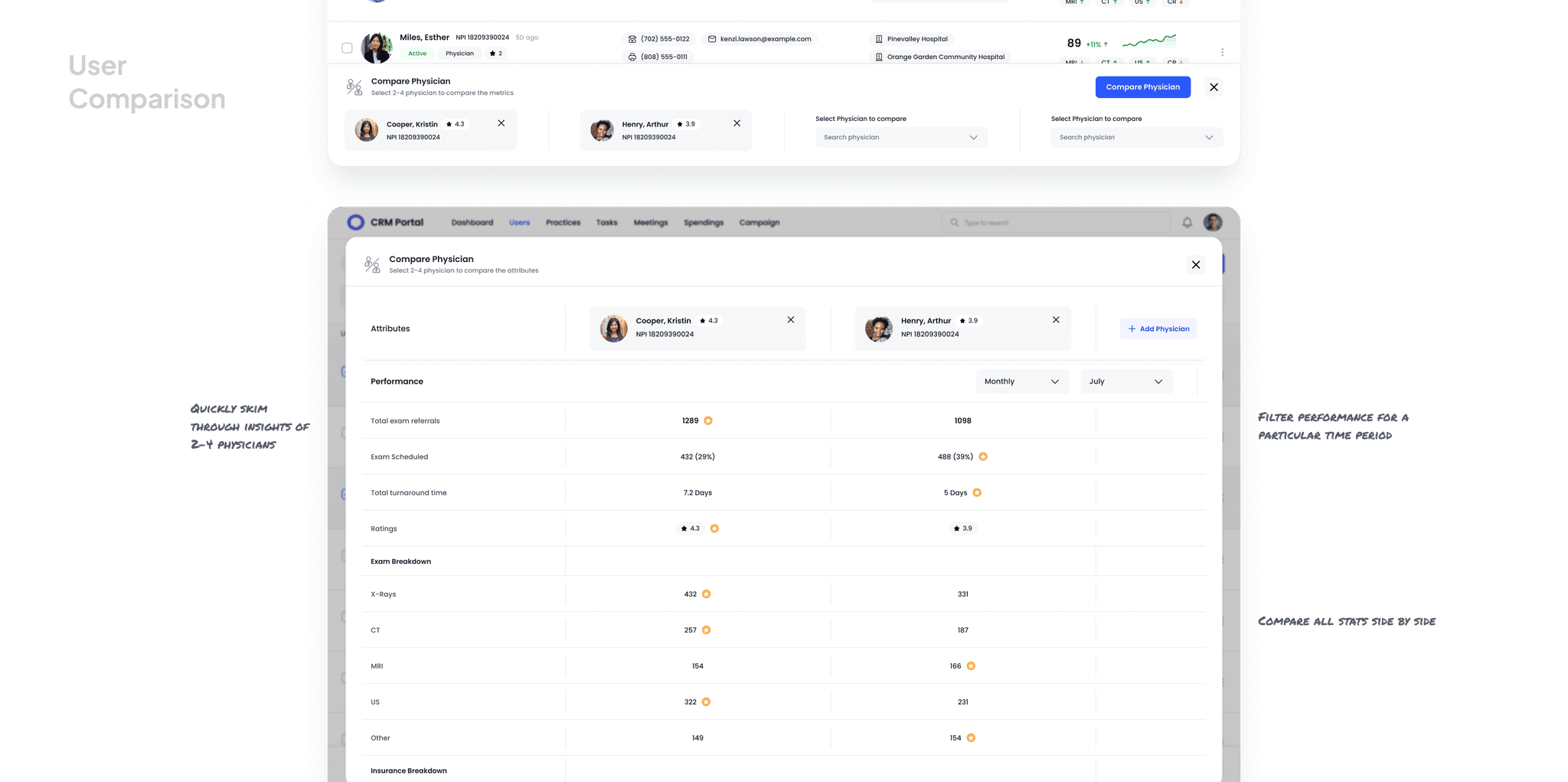
I simplified physician relationship management with designs that:
Present scannable physician listings with performance analytics
Enable comparison of physician metrics
Support quick scanning and decision making
Integrate actions directly within the interface
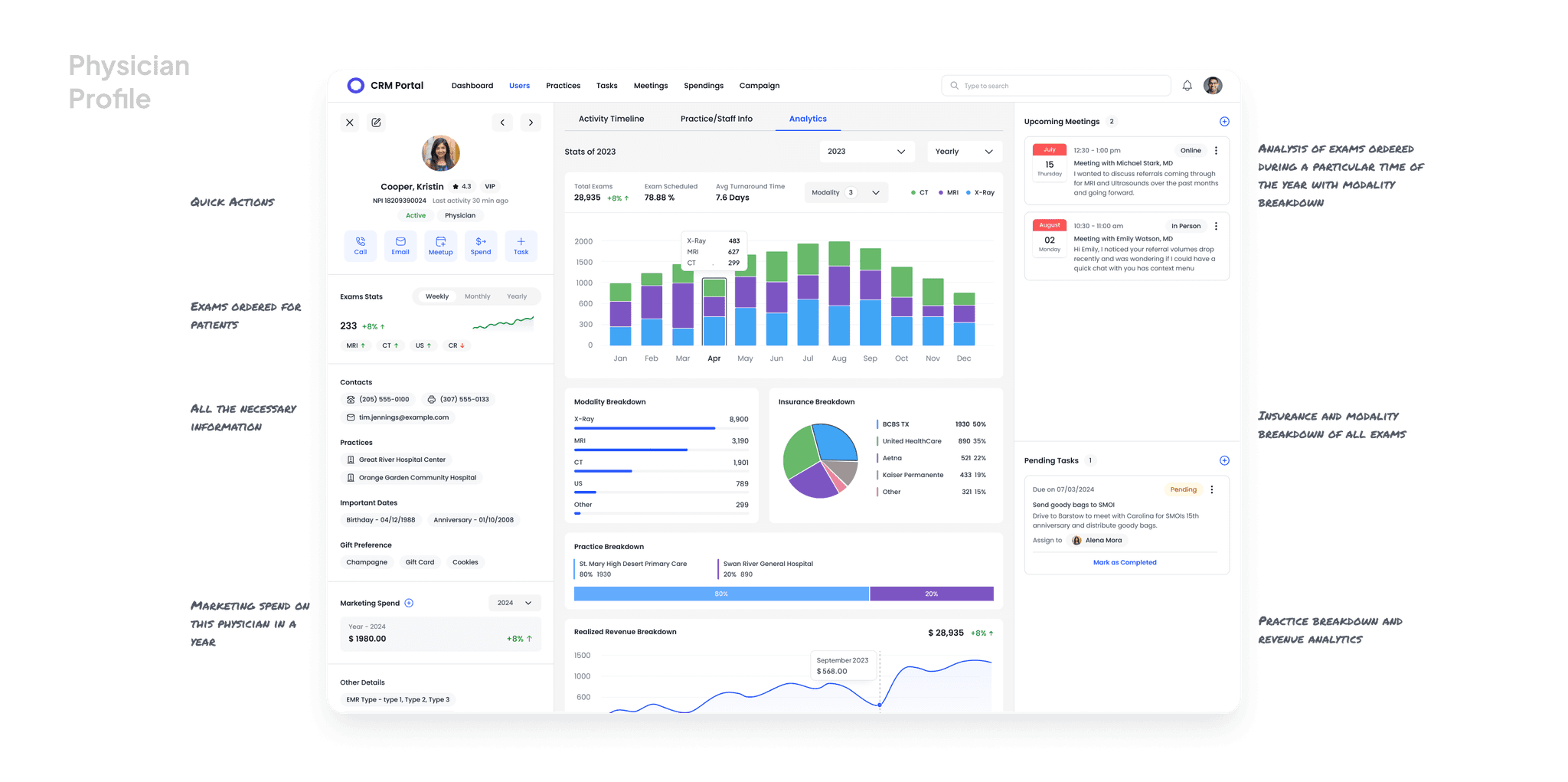
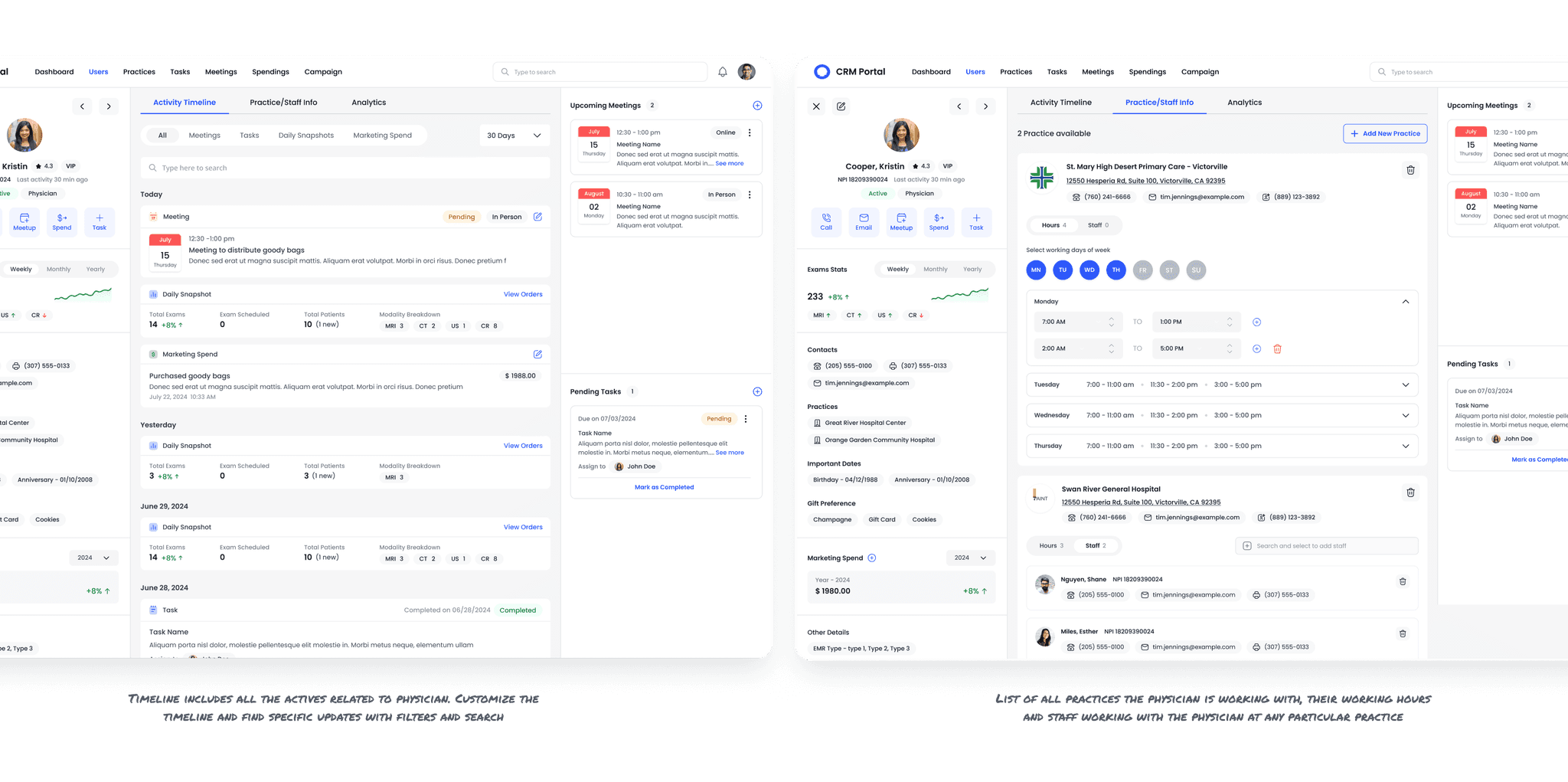
I organized detailed physician information to be comprehensive yet accessible:
Grouped metrics logically (exams, modalities, insurance)
Created a chronological activity timeline to track relationship history
Integrated practice affiliations and staff relationships
Made information actionable through contextual tools
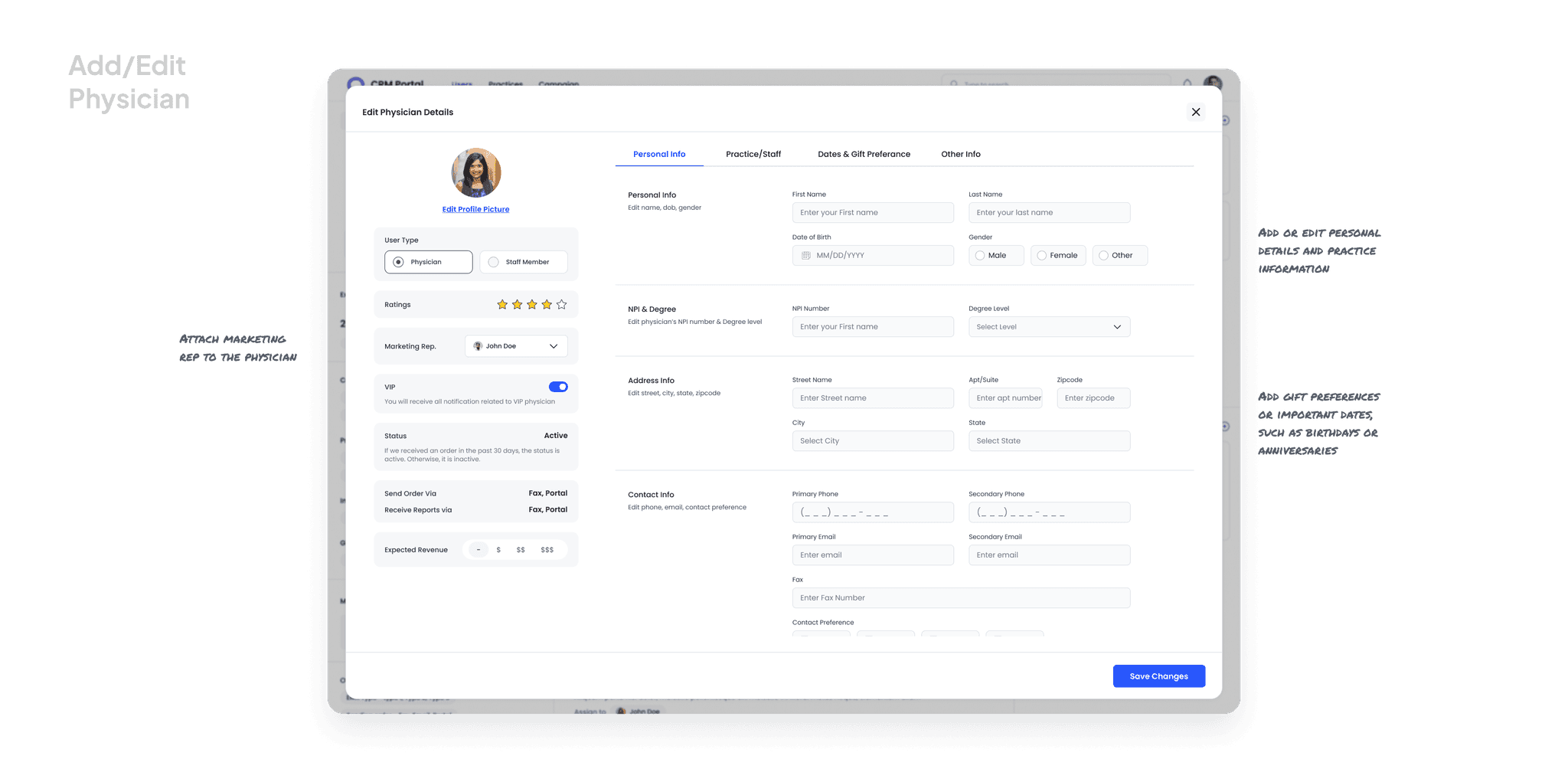
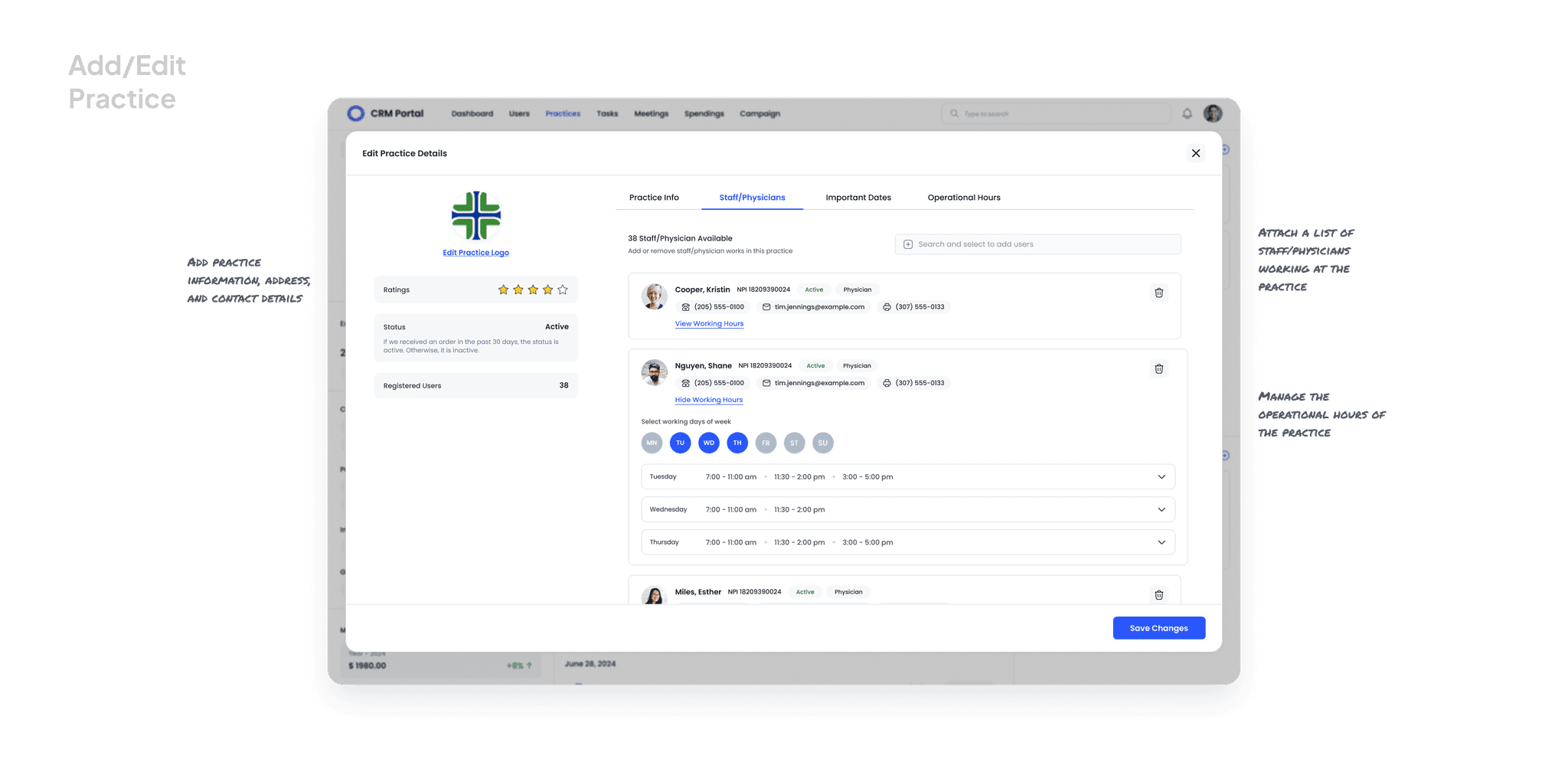
I designed intuitive forms that:
Streamline adding and editing physician/practice details
Organize inputs into logical groups
Include special fields for relationship-building (important dates, preferences)
Reduce friction in the data entry process
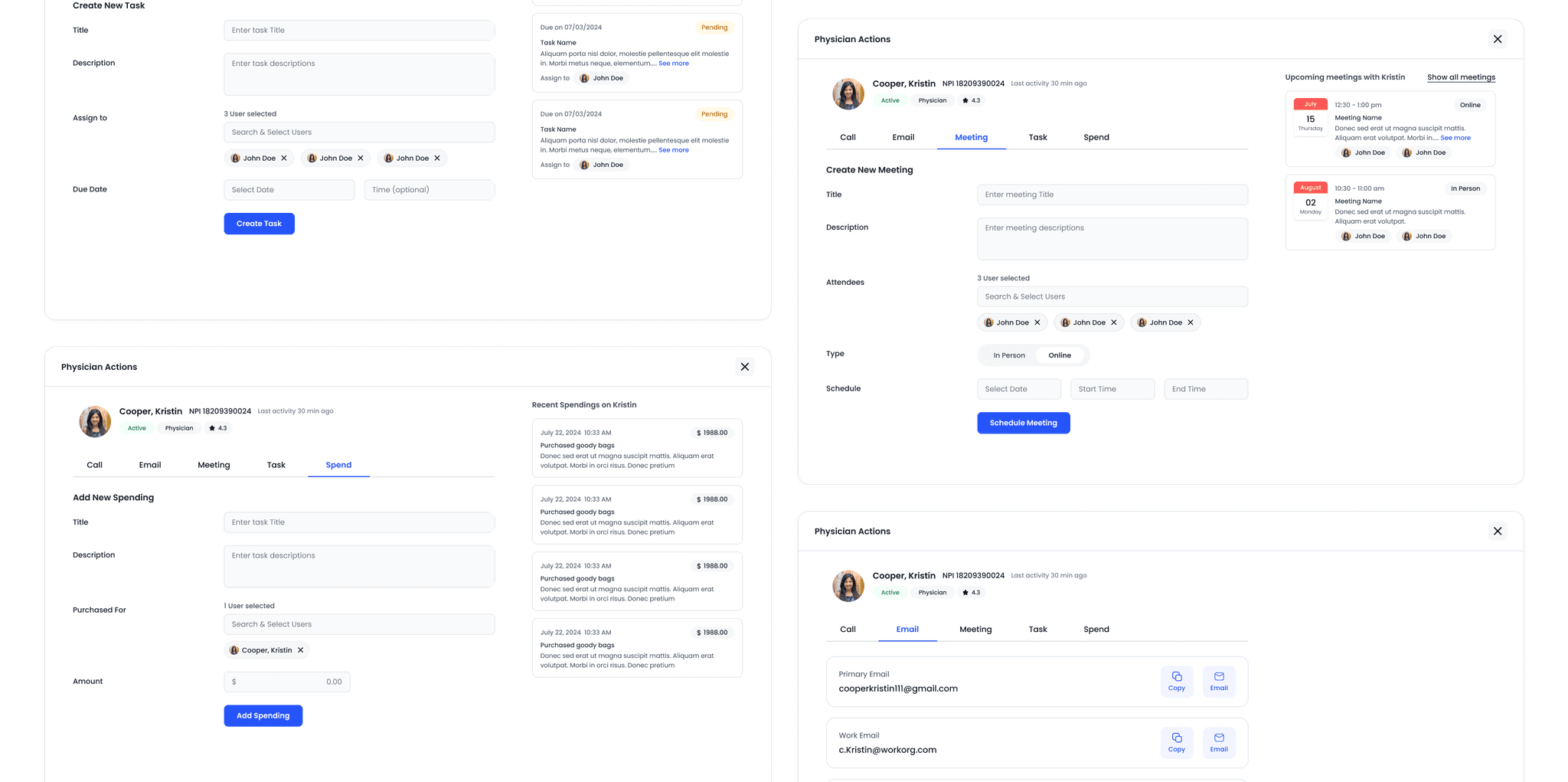
I created a system to track interactions that:
Unifies management of calls, emails, meetings, and tasks
Provides purpose-built interfaces for each activity type
Tracks marketing spend
Maintains context throughout the workflow
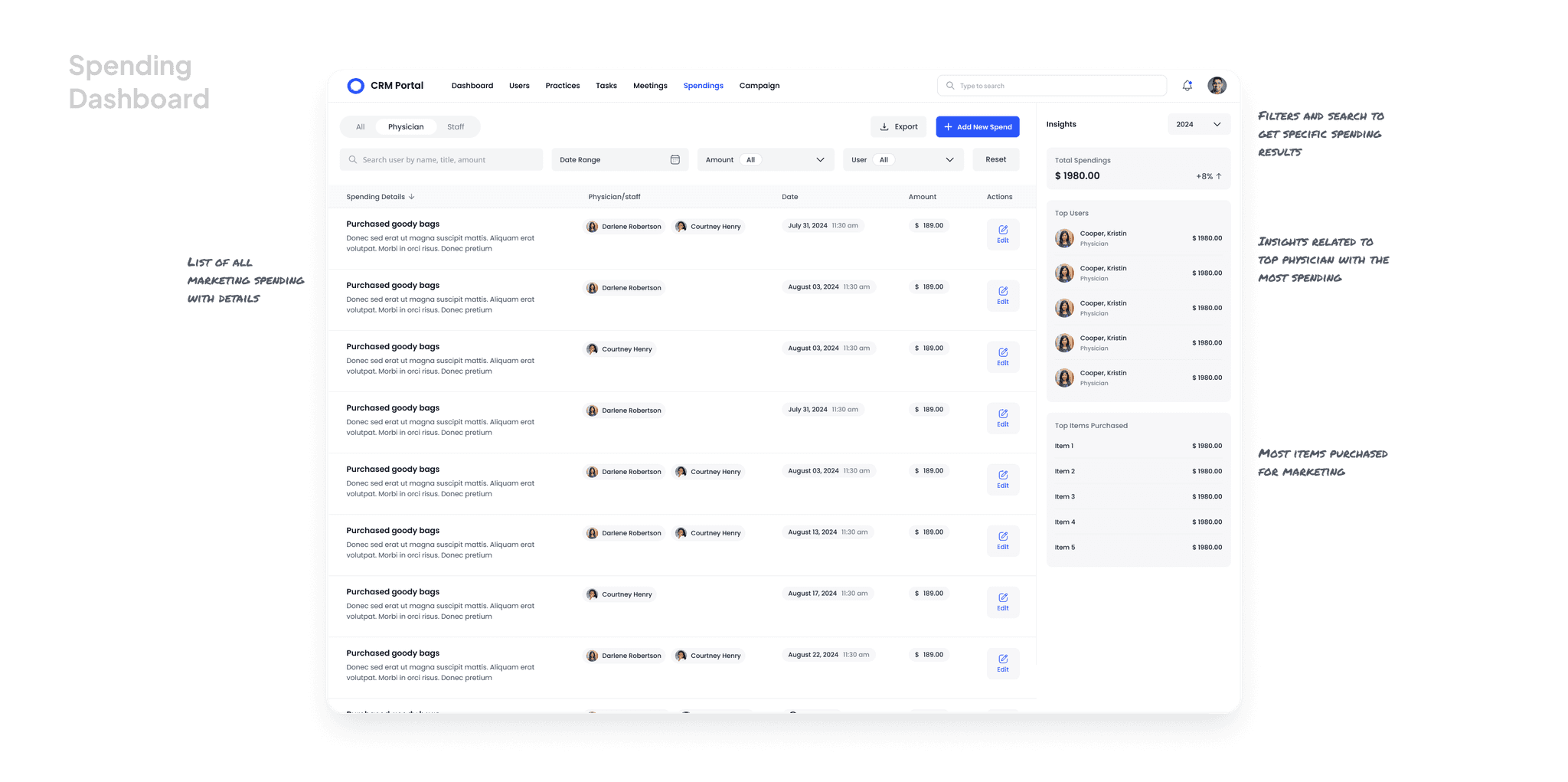
I designed a financial tracking system that:
Centralizes marketing expenditure tracking
Shows spending patterns and trends
Supports budget planning
Links expenditures to physician relationships
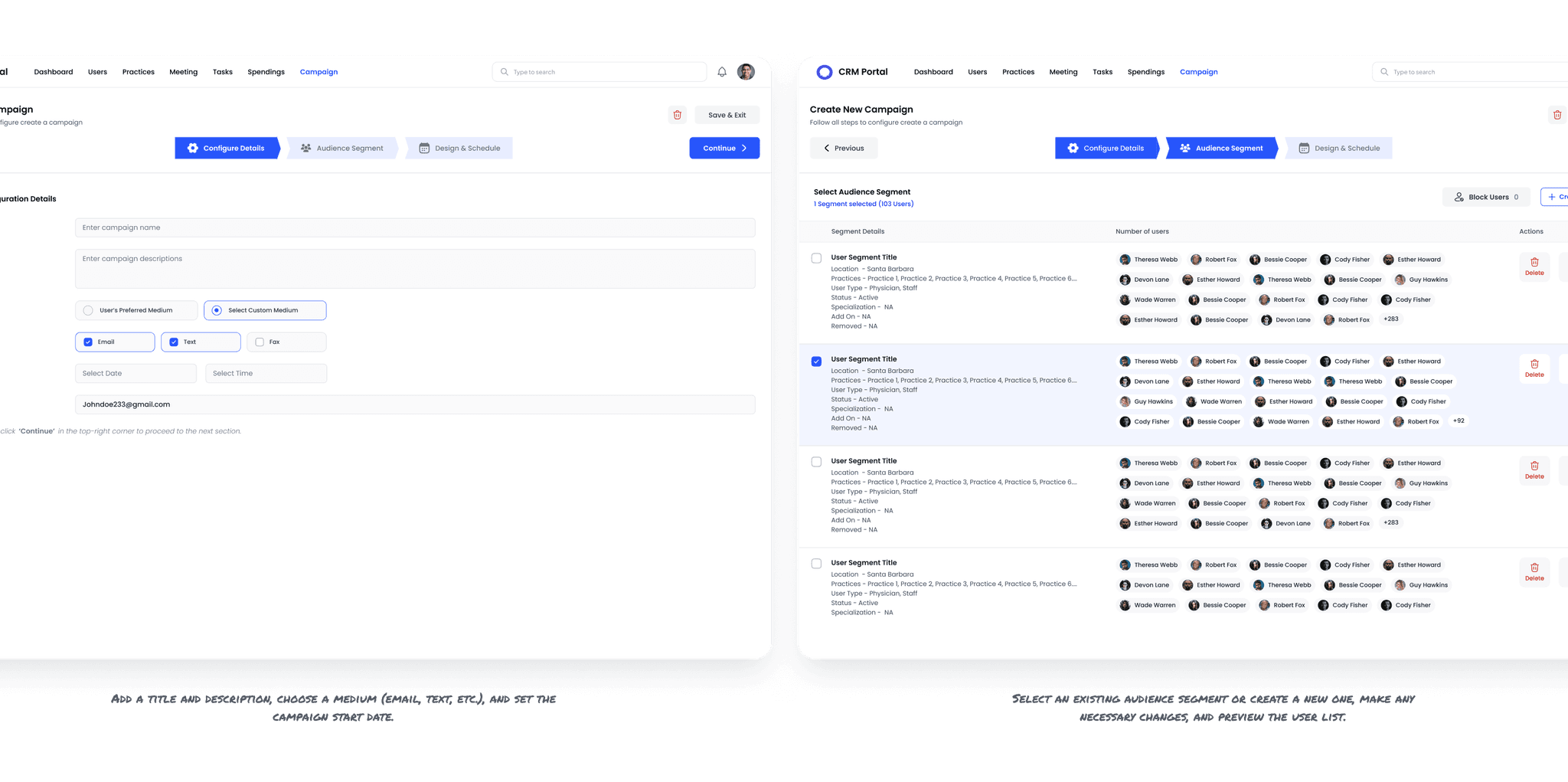
The Campaign feature streamlines communication for marketing reps, enabling mass outreach to physicians for various purposes, including:
Inviting prospective physicians to join the portal
Sharing system updates and enhancements
Notifying practices about important changes
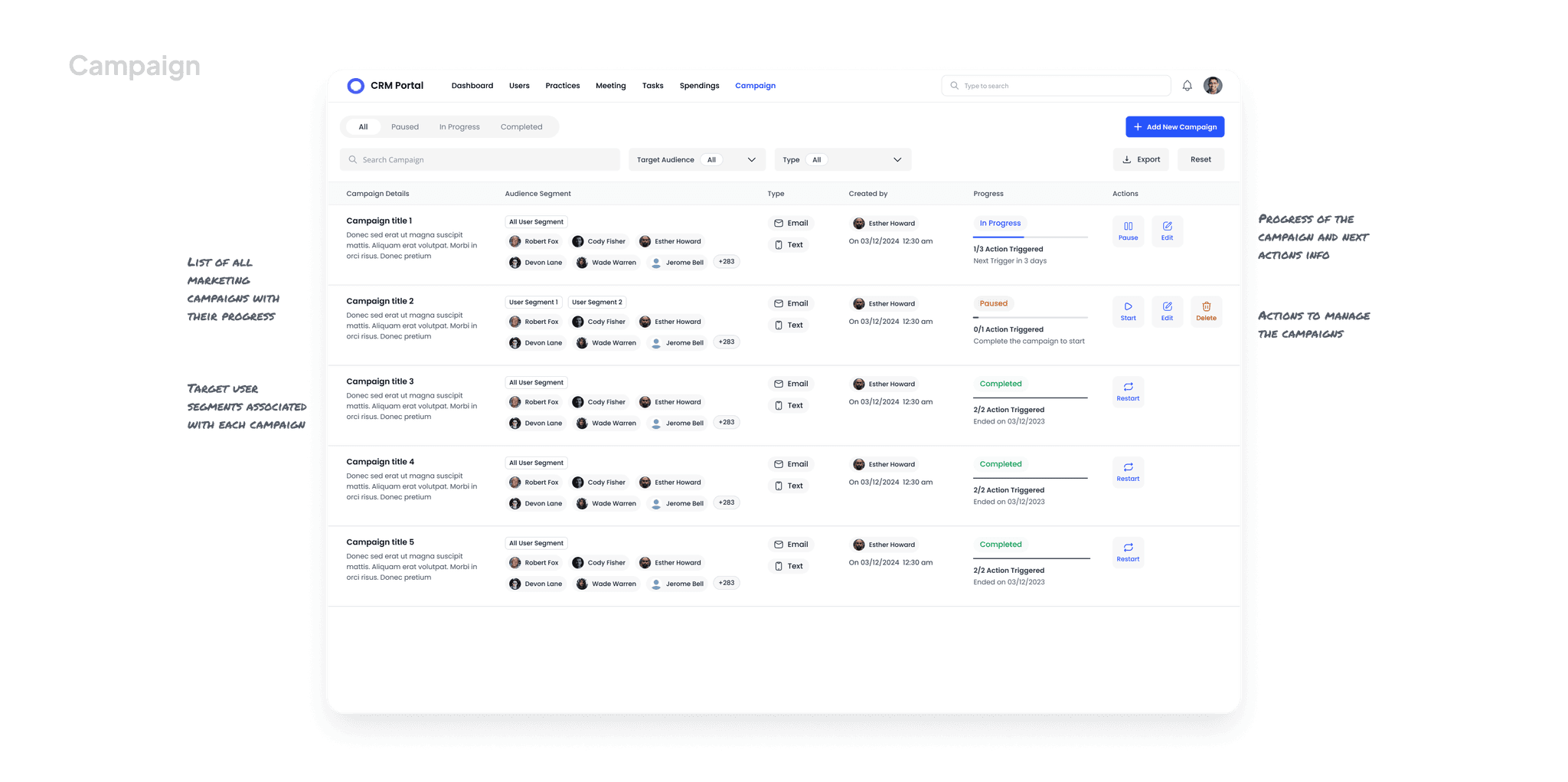
Configure & Target: Select an existing user segment or create a custom target group for your campaign.
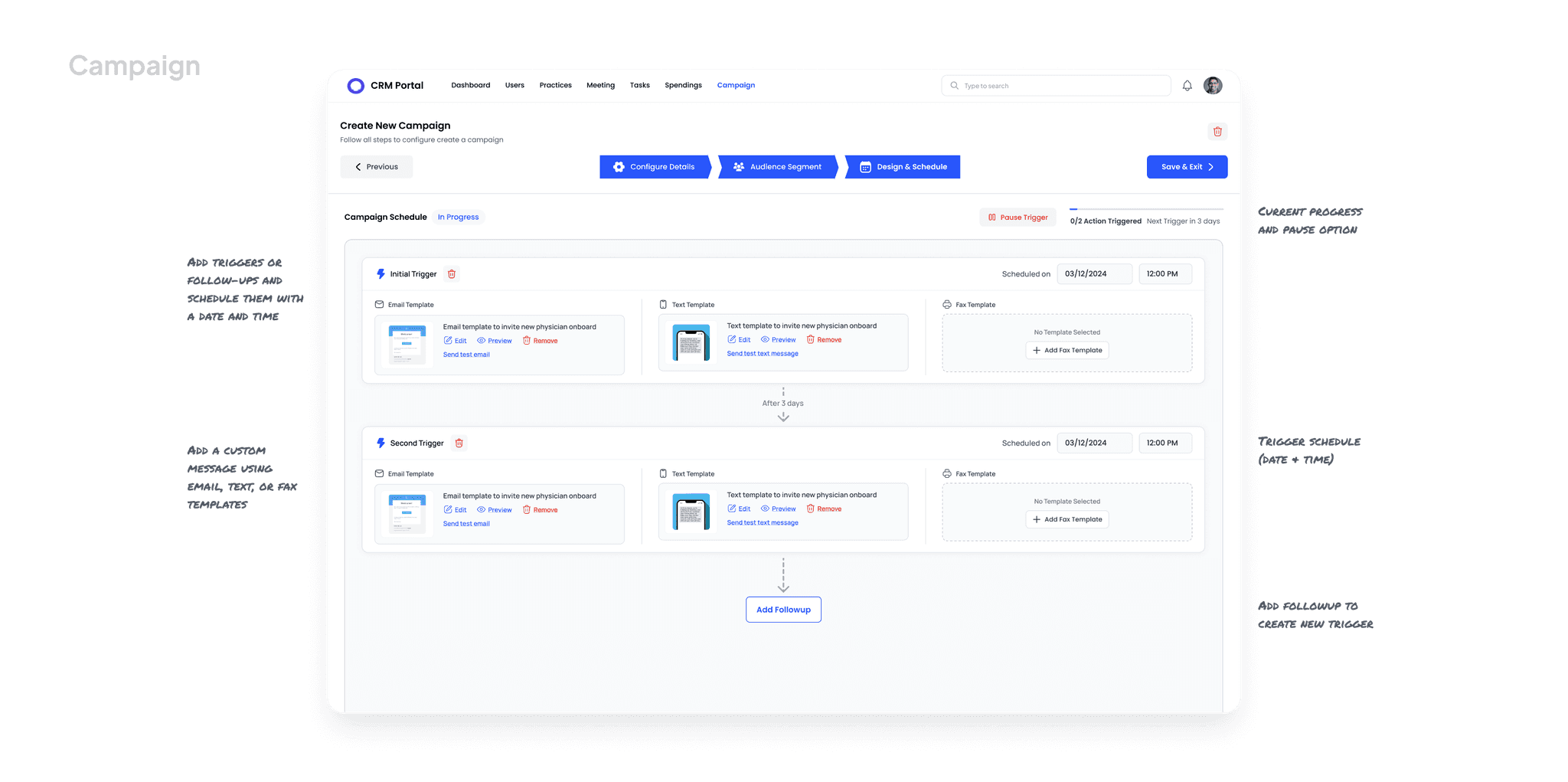
Automate Follow ups: Schedule one or more follow-ups via email, text, or fax as needed.
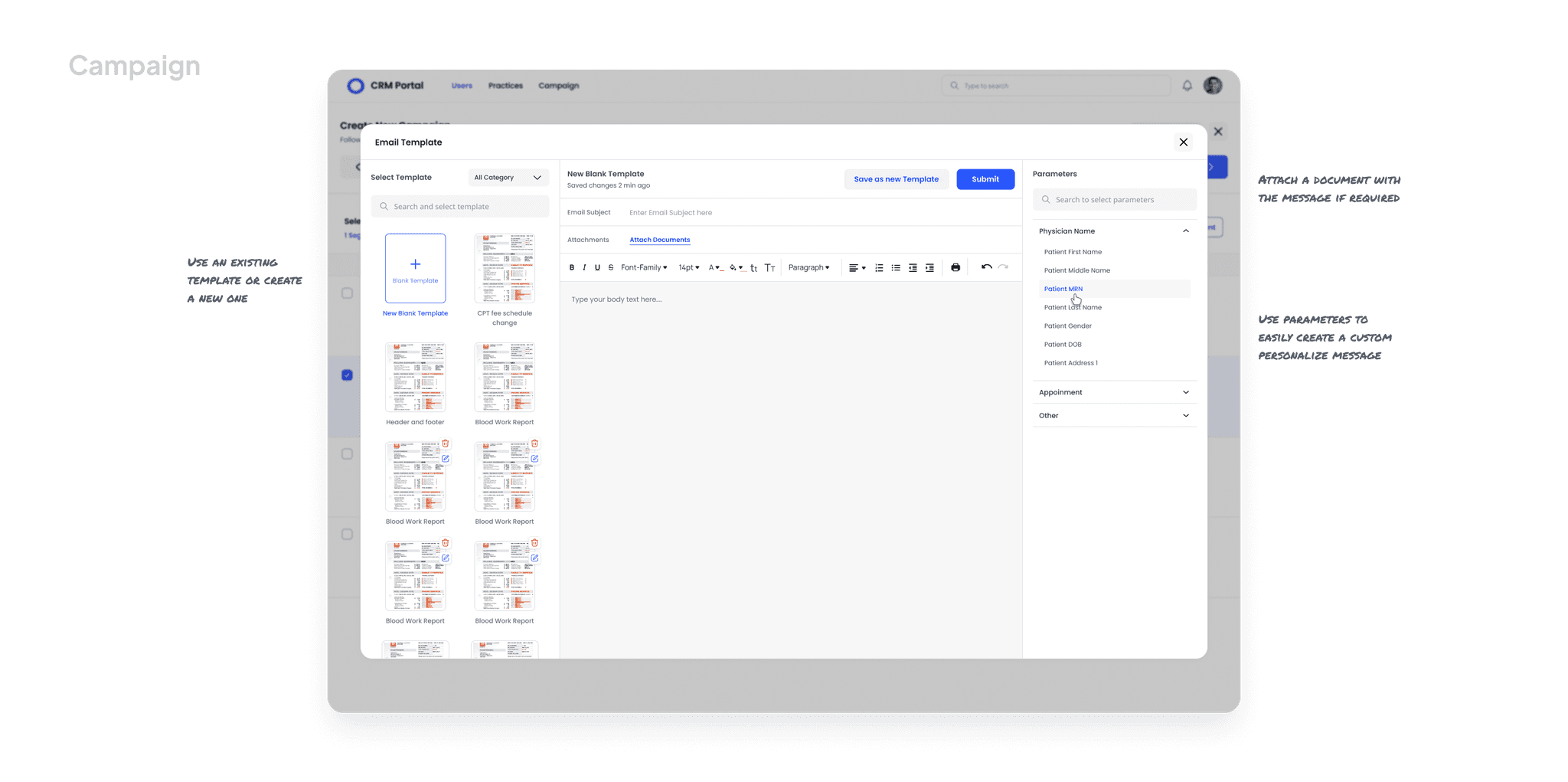
Personalized Messaging: Use pre-built templates or create custom messages with the template editor. Dynamic parameters help personalize each message for a more tailored experience.
There were multiple rounds of design iterations, feedback sessions, and refinements. While these played a crucial role in shaping the final solution, I’ve kept them out of this case study to keep it concise and engaging
Impact and Results
This project is currently in development for deployment to multiple clients, including the third-largest radiology imaging provider in the United States.
Expected outcomes include:
More efficient physician relationship management
Improved marketing representative productivity
Better visibility into referral patterns and business metrics
Enhanced communication with referring physicians
Data-driven decision making for relationship investments
Reflection
This project challenged me to:
Balance specialized and generalized needs: Creating a CRM that was powerful enough for complex relationship management while remaining focused on radiology-specific workflows
Design for multiple user types: Supporting marketing representatives, managers, and administrators with varying needs
Think systematically: Building a cohesive system where individual features work together to create a comprehensive solution
Collaborate across disciplines: Working closely with stakeholders to ensure the design met real business needs
The most valuable insight? Industry-specific tools must embrace the unique language, workflows, and metrics of the field they serve. By deeply understanding the radiology business model and physician relationship dynamics, I created a solution that speaks directly to users' needs rather than forcing them to adapt to a generic tool.